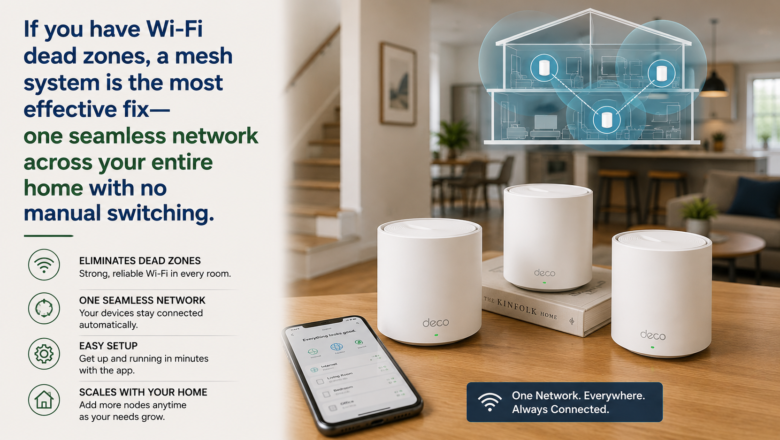
If you have Wi-Fi dead zones, a mesh system is the most effective fix — one seamless network across your entire home with no manual switching.
STEP 1: Choose the Right System Size for Your Home
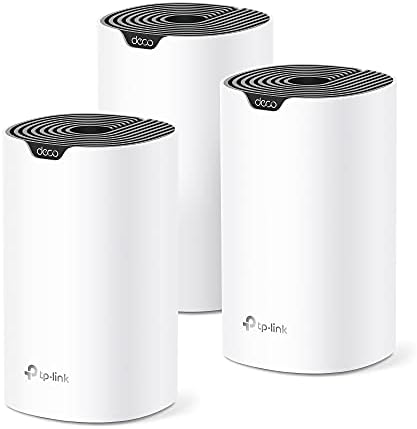
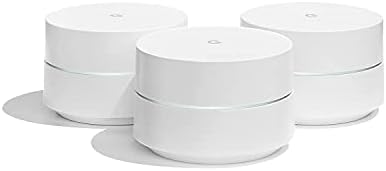
A 2-node system covers most homes up to about 3,000 square feet. For larger homes, multi-story houses, or homes with thick concrete or brick walls, a 3-node system is worth the extra investment. Popular reliable brands include Eero, Google Nest WiFi, and TP-Link Deco.
STEP 2: Connect the Primary Node to Your Modem
Plug the first primary node into your modem using the included Ethernet cable, then plug it into a power outlet. This node acts as the router for the entire system. If your provider gave you a combination modem-router, you may need to enable Bridge Mode to avoid network conflicts.
STEP 3: Set Up Using the Manufacturer App
Download the app and create an account if required. Follow the in-app setup steps — you will name your network, create a password, and the app will walk you through connecting each additional satellite node one at a time.
STEP 4: Place Satellite Nodes Strategically
Place satellite nodes roughly halfway between the primary node and your dead zones — not inside the dead zone itself. Nodes must communicate with each other, so placing them too far apart weakens the entire mesh. A central hallway or mid-floor placement between floors usually works best.
STEP 5: Run a Speed Test in Every Room
Once setup is complete, use a free speed test app to check signal strength in rooms that previously had issues. If a spot is still weak, move the nearest satellite node a few feet closer to that area and retest until coverage is solid.
PRO TIP
Q: Should I unplug satellite nodes when not in use?
A: No — keep all nodes plugged in and powered on at all times. Unplugging them defeats the entire purpose of a mesh network.
Q: What features do most mesh systems include?
A: Most come with built-in parental controls, guest network features, and device bandwidth prioritization, all accessible in the app.
SUPPLIES NEEDED
Mesh Wi-Fi system with 2 or 3 nodes depending on home size
Your existing modem or modem-router from internet provider
Ethernet cable usually included in the box
Smartphone with the manufacturer app installed
Products from Amazon

This site contains affiliate links. As an Amazon Associate I earn from qualifying purchases.