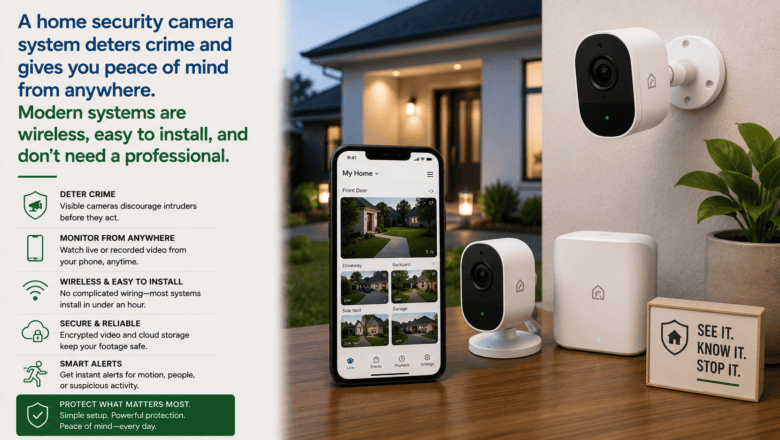
A home security camera system deters crime and gives you peace of mind from anywhere. Modern systems are wireless, easy to install, and don’t need a professional.
STEP 1 — Decide Between Cloud and Local Storage
Most consumer cameras store footage in the cloud with a subscription fee, which is convenient but has monthly costs. Systems with a local NVR or SD card storage have no monthly fees but require more setup. Consider your budget and how many days of footage you want to retain.
STEP 2 — Map Out Your Coverage Zones
Before buying cameras, walk around your property and identify the key areas to cover: front door, back door, driveway, side gates, and blind spots around the perimeter. Most homes need 4-8 cameras for comprehensive coverage. Buy wide-angle cameras — at least 130 degrees — to maximize each camera’s coverage area.
STEP 3 — Choose Wired or Wireless Cameras
Wireless Wi-Fi cameras are far easier to install and can go anywhere within Wi-Fi range. Wired PoE cameras provide a more stable connection but require running cable to each camera. For most homeowners, wireless cameras are the practical choice for getting started.
STEP 4 — Mount Outdoor Cameras Strategically
Install outdoor cameras under eaves or overhangs to protect them from direct rain and reduce glare. Position cameras to capture faces and license plates at entry points rather than pointing straight down from high positions. Mount at 8-10 feet for the best combination of coverage and detail.
STEP 5 — Connect Cameras to Your Network and App
Follow the manufacturer’s app to connect each camera to your Wi-Fi. Ensure your router provides a strong signal at each camera location before permanently mounting. 2.4GHz Wi-Fi penetrates walls better than 5GHz and is typically the better choice for outdoor cameras.
STEP 6 — Configure Motion Zones and Alerts
Use the camera app to draw custom motion detection zones that focus on entry points and exclude areas like busy streets or swaying trees that would trigger constant false alerts. Set alert schedules to reduce notifications at times when motion is expected.
Pro Tip
Q: What is the best tip for someone learning to set Up a Home Security Camera System?
A: Place a visible camera sign or sticker at your front entrance even if your camera is not immediately visible from the street. Visible security signage is consistently shown to be one of the most effective deterrents for opportunistic break-ins.
SUPPLIES NEEDED
Security cameras — indoor or outdoor wireless
NVR or cloud storage subscription
Smartphone with camera app
Drill and anchors for mounting outdoor cameras
Products from Amazon

This site contains affiliate links. As an Amazon Associate I earn from qualifying purchases.

